For cafés and restaurants
Restaurant management software
Take orders, run the kitchen, seat tables, accept online orders and close the till in one app. Built for one location or twenty.
Runs in the browser on an iPad, a till or a phone. 14-day free trial.
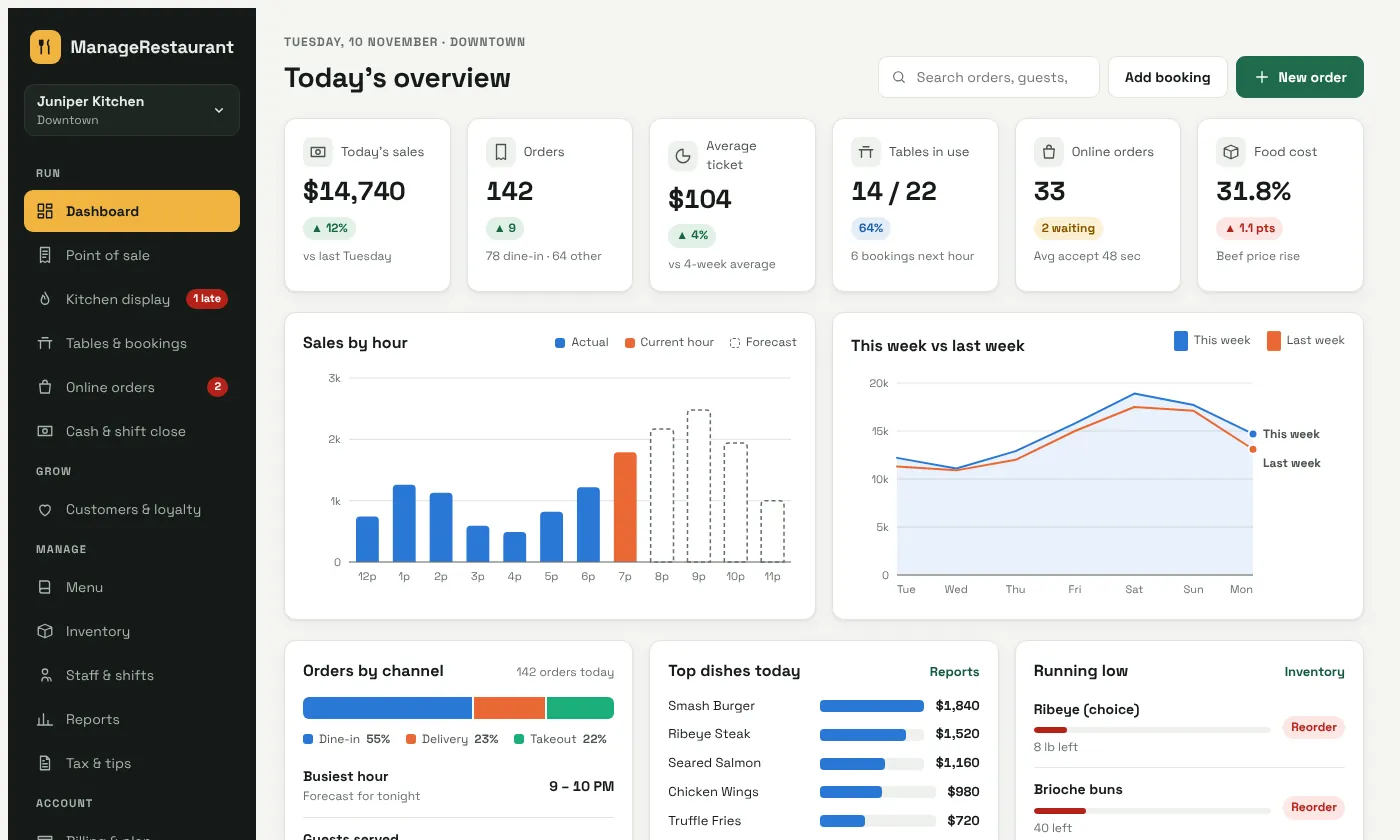
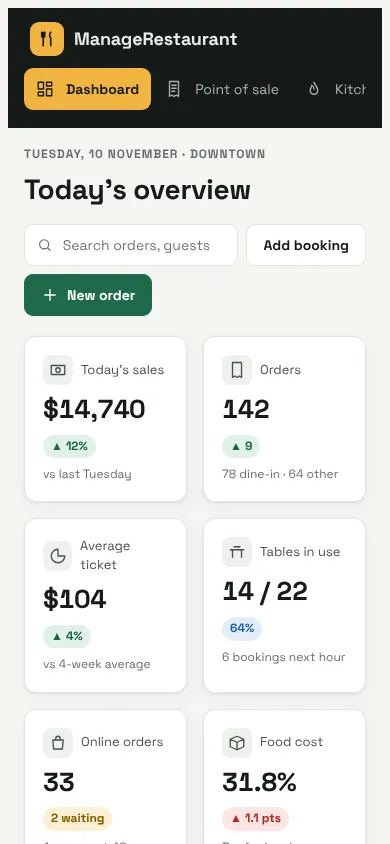
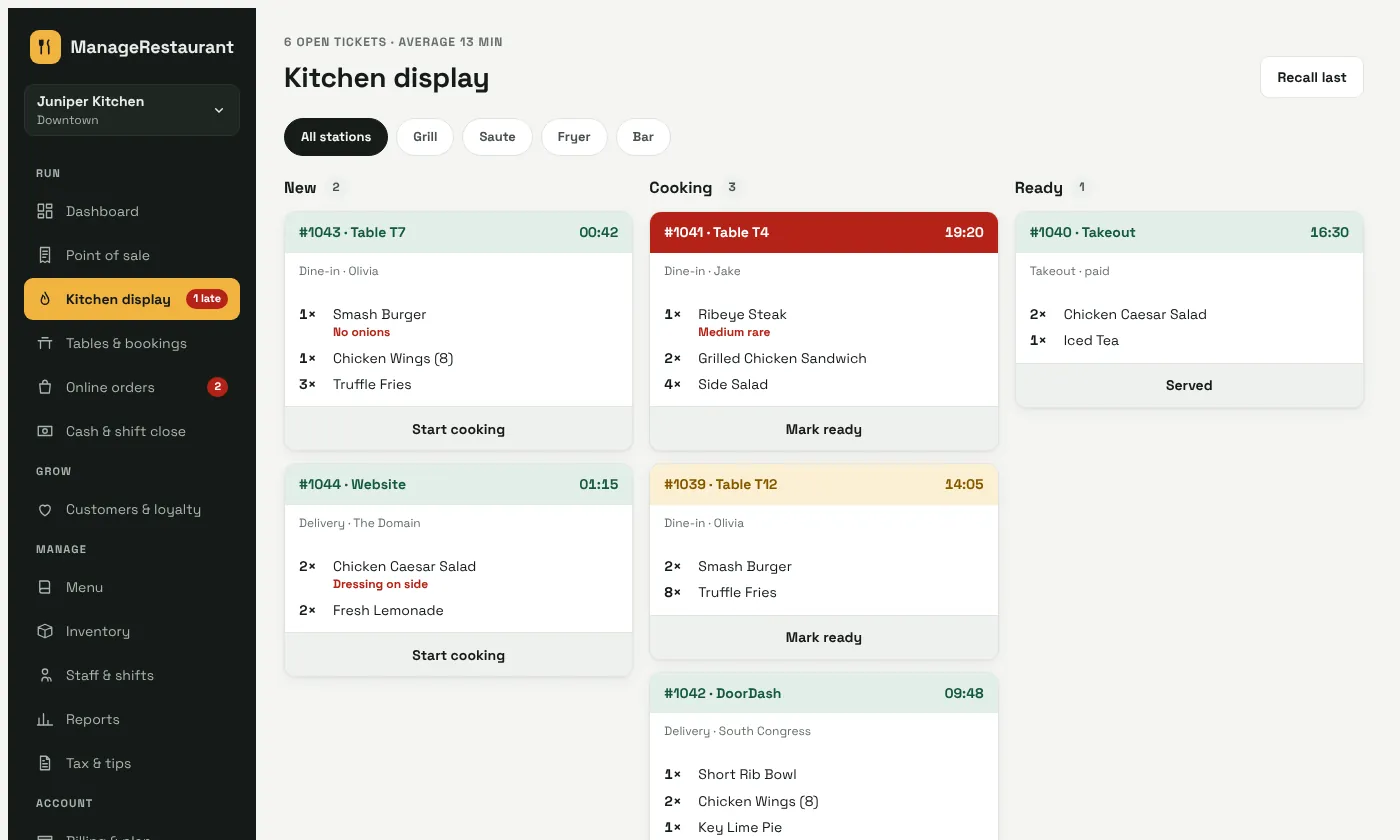
- 1×Ribeye SteakMedium rare
- 2×Grilled Chicken Sandwich
- 4×Side Salad
For cafés, quick service, full-service restaurants, bars, food halls and ghost kitchens.
How it works
A night of service
Follow one evening at a busy restaurant, from opening the till to the close.
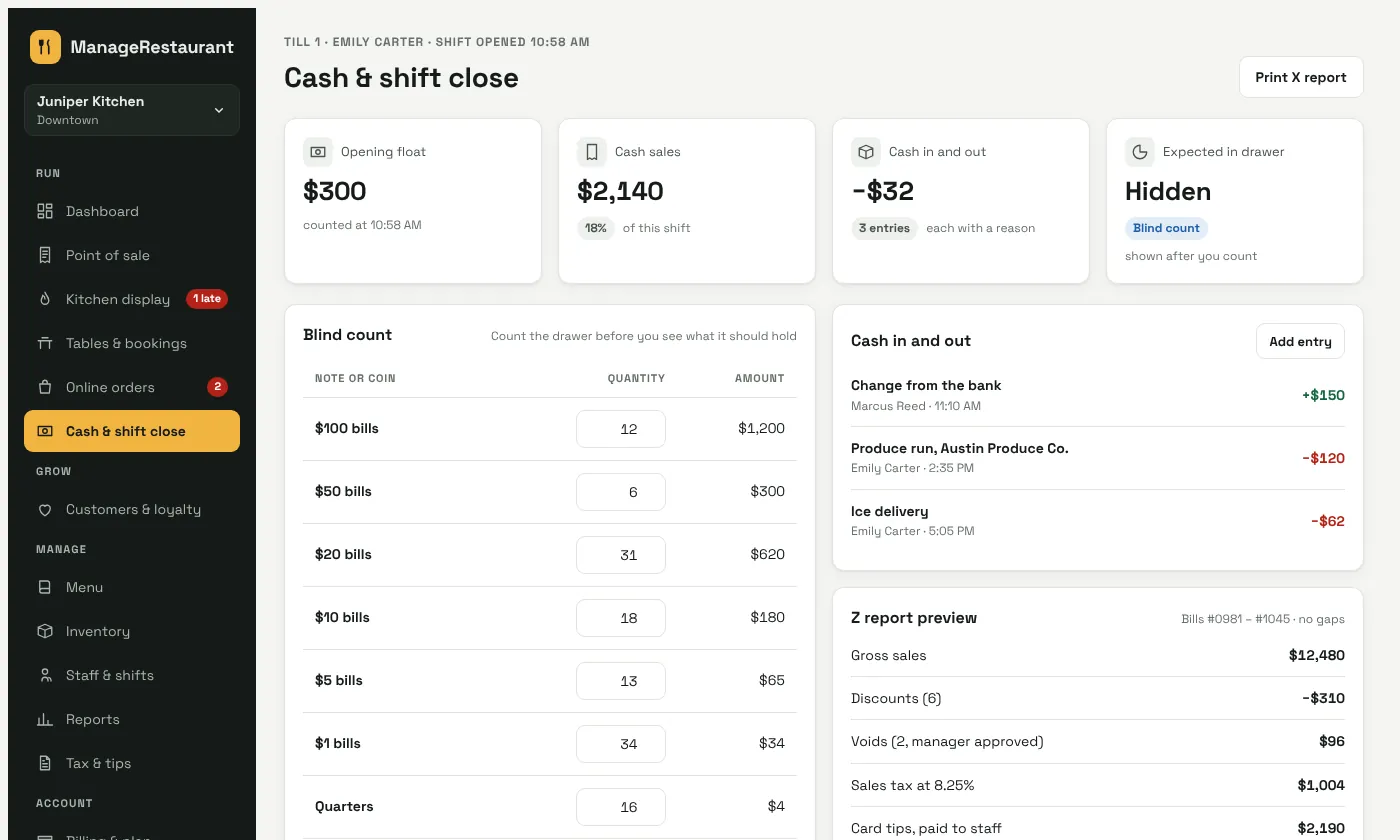
Count the float, then start the shift
The cashier counts the drawer before seeing what it should hold. Cash in and out is logged with a reason.
- Blind count by bill and coin
- Shortages sent to the owner's phone
- X and Z reports with no gaps in bill numbers
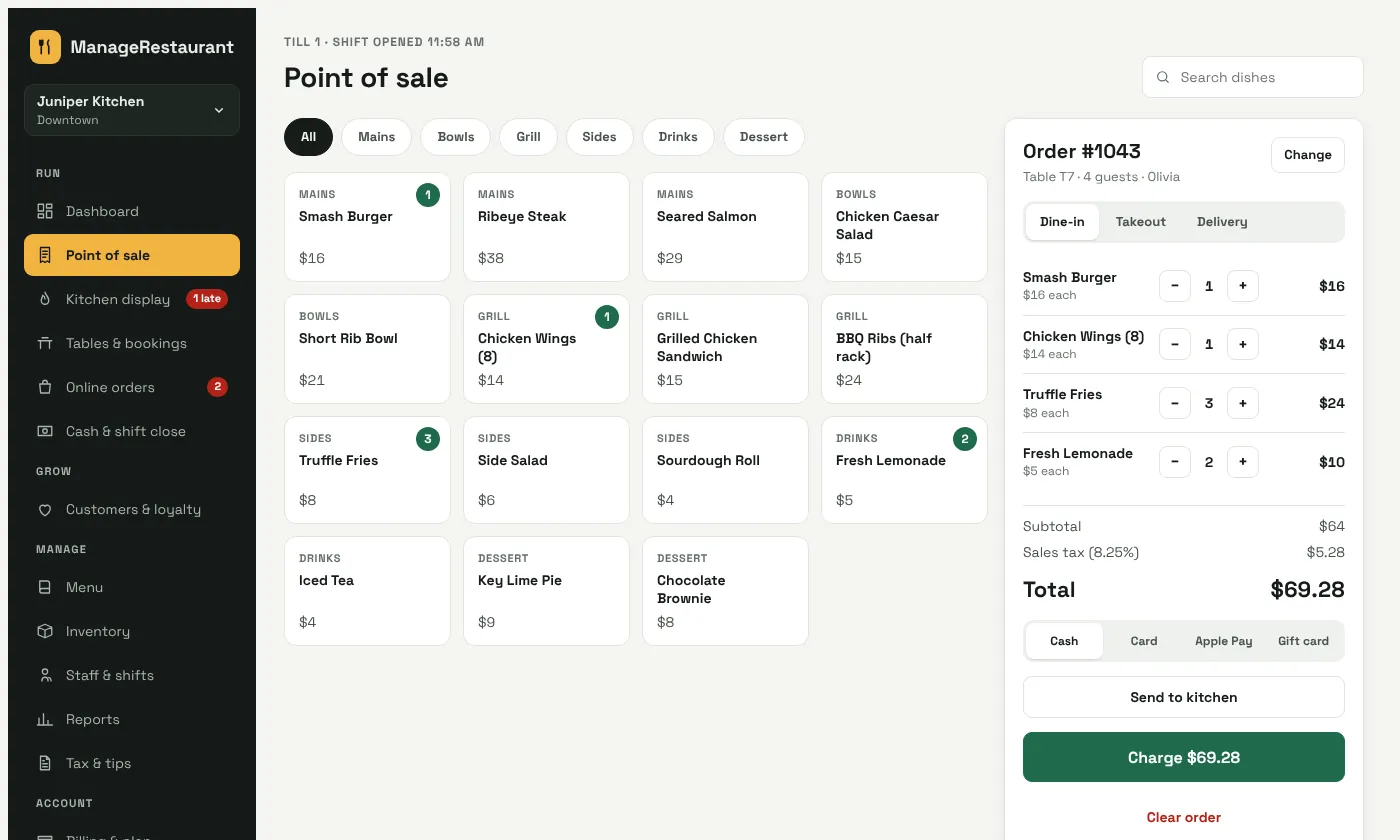
Ring up a table in a few taps
Pick dishes, add notes and modifiers, and send the order to the kitchen. Sales tax is added at your location's rate.
- Dine-in, takeout and delivery on one screen
- Split bills, discounts and comps with manager approval
- Cash, card, Apple Pay and gift cards
Every ticket on the right screen
Orders land on the kitchen display by station, with timers. Late tickets turn red, and the all-day count shows what to fire next.
- New, cooking and ready columns
- Notes like "medium rare" in bold
- Works with your kitchen printer too
See every table at a glance
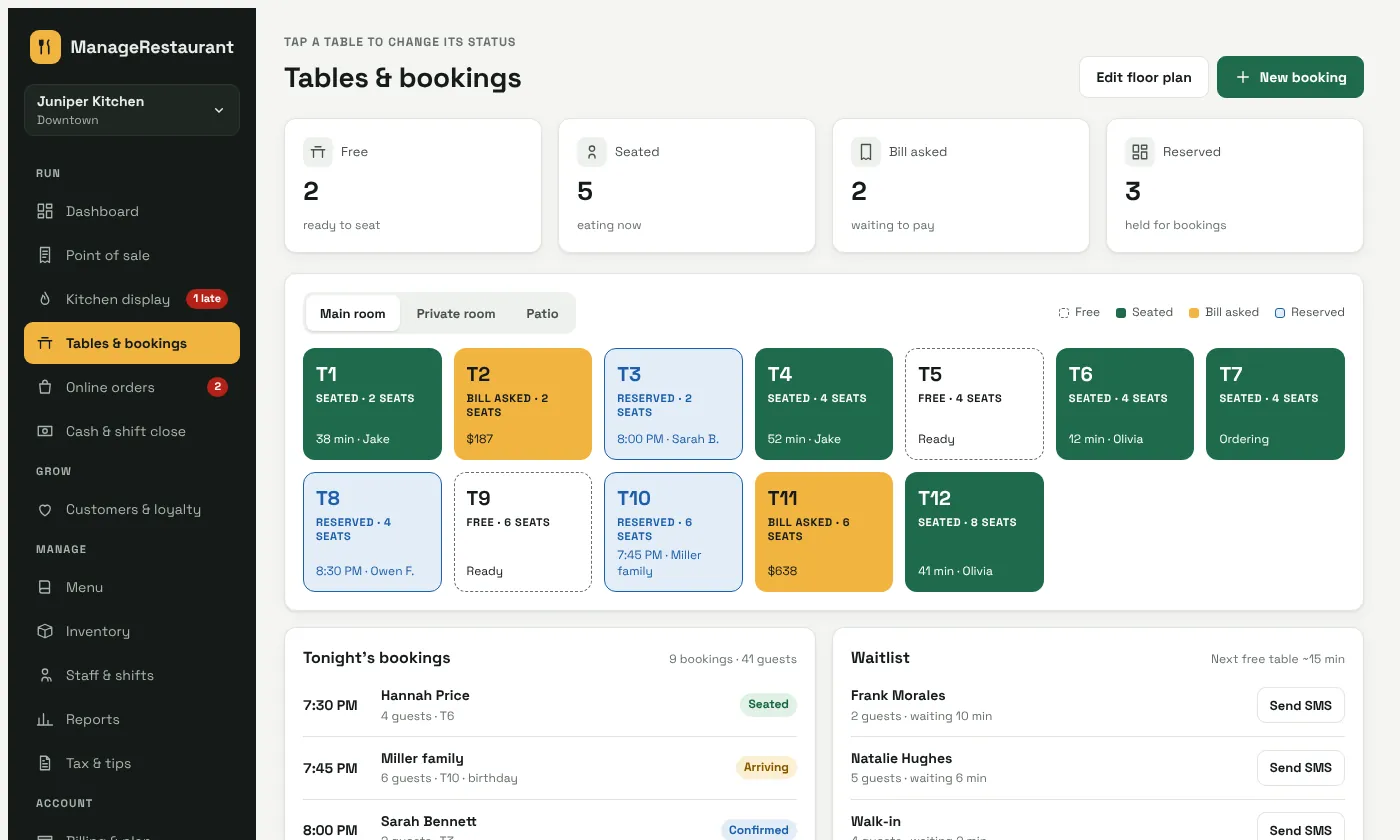
The floor plan shows free, seated, bill-asked and reserved tables. Bookings and the waitlist sit beside it.
- Floor plans by room, patio or private room
- Bookings with notes like birthdays
- Text the next party when a table frees up
One queue for every delivery app
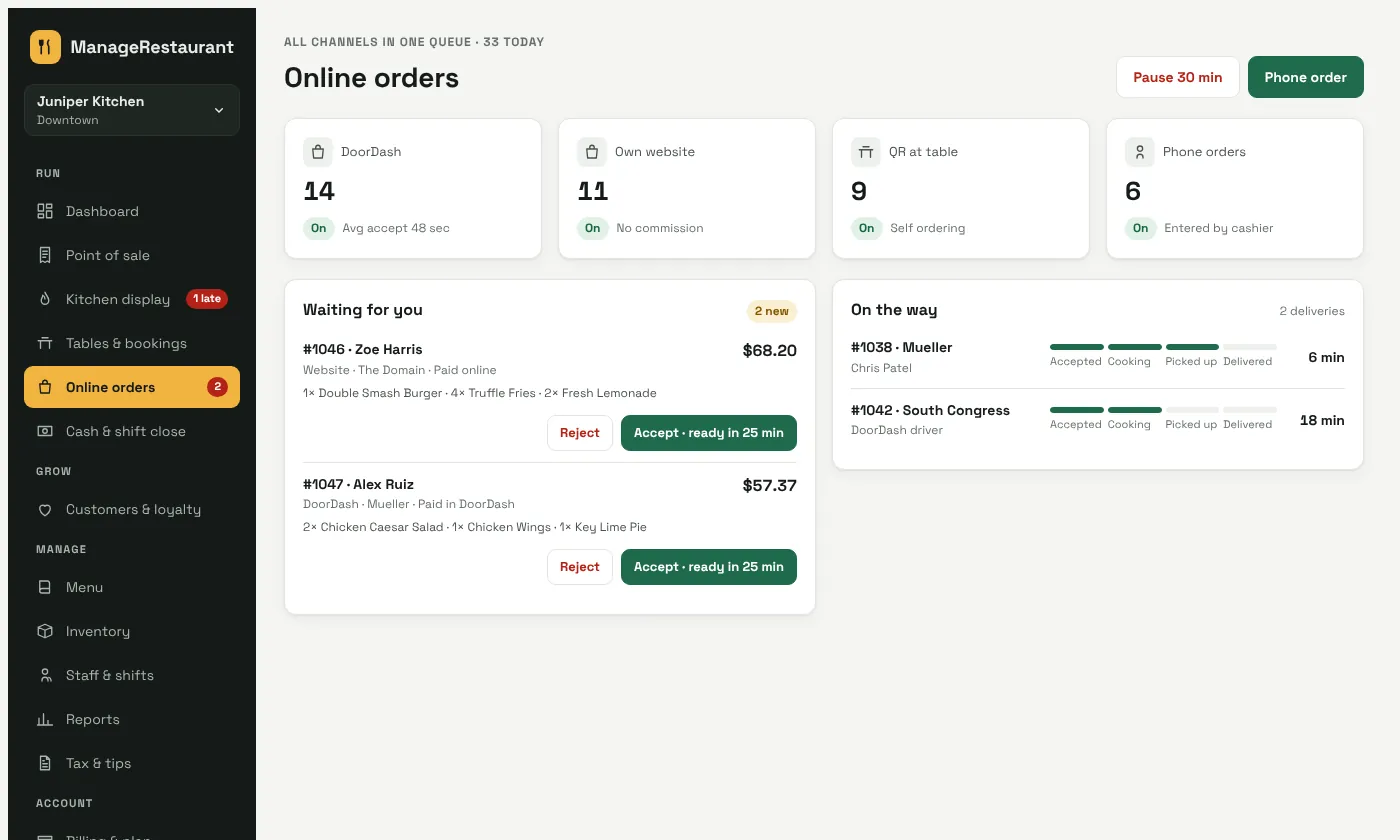
Website, DoorDash, Uber Eats, QR and phone orders arrive in one list. Accept with a ready time and follow each driver.
- Pause online ordering in one tap
- Your own ordering page, with no commission
- Driver progress from accepted to delivered
Know how the night went
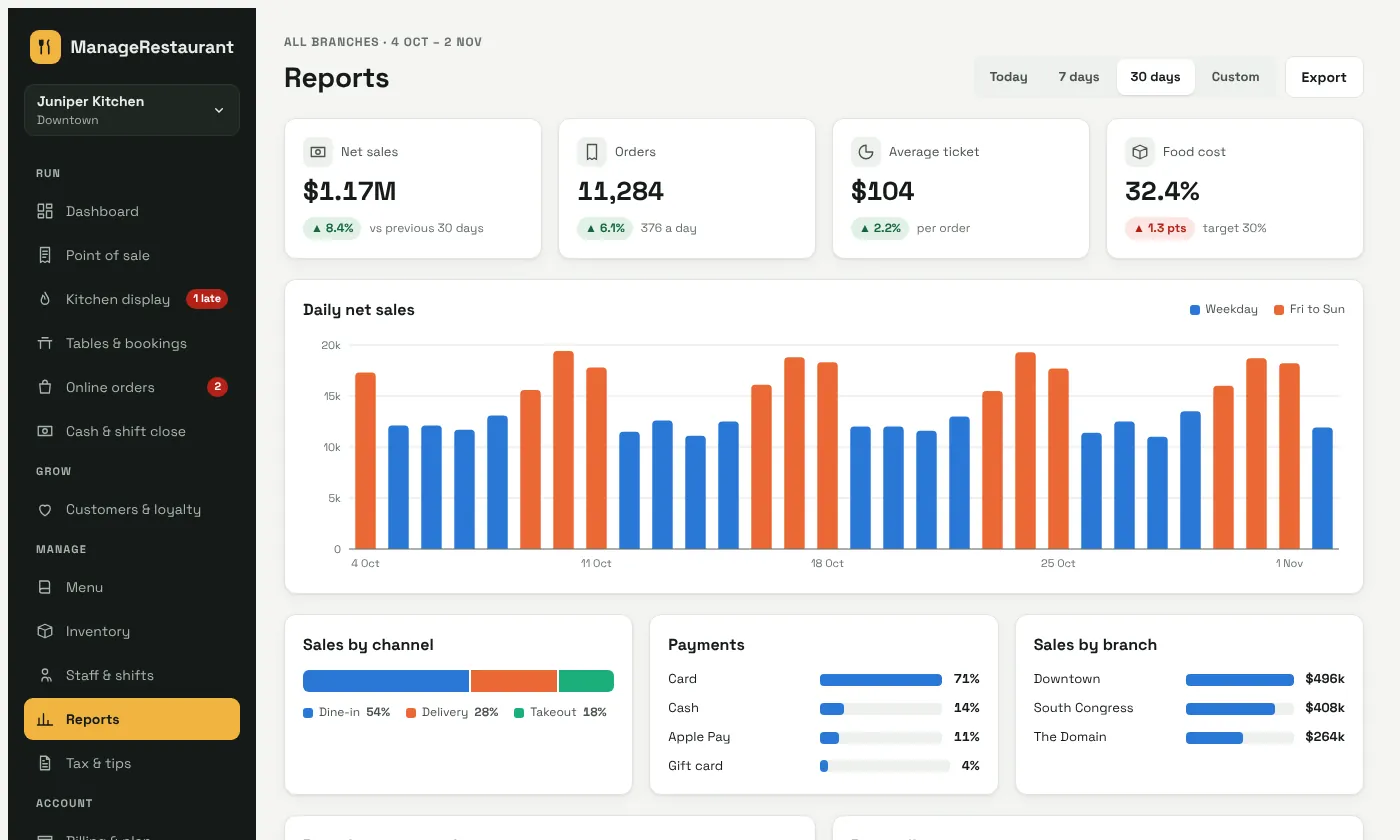
Sales by day, channel, payment and location, best sellers and food cost. Export any report for your accountant.
- Locations compared side by side
- Food cost by category, from recipes
- Sales tax and tips ready for filing and payroll
Features
Everything a restaurant runs on
Front of house, kitchen and back office share one menu, one set of numbers and one login per person.
Point of sale
Orders, modifiers, split bills, discounts and payments on an iPad or till.
Kitchen display
Tickets by station with timers, late alerts and an all-day count.
Tables and bookings
Floor plans, reservations, a waitlist and table status for every room.
QR ordering
Guests scan, order and pay from the table. Orders go straight to the kitchen.
Online orders
Your own ordering page plus DoorDash and Uber Eats in one queue.
Menu manager
One menu for every location, prices by location, and sold-out in one tap.
Inventory and recipes
Stock goes down with every sale. Low-stock alerts and suggested orders.
Staff, shifts and tips
Rosters, clock-in, labor cost and tips by server, ready for payroll.
Customers and loyalty
Guest history, points, birthday offers and win-back texts.
Reports
Sales, best sellers, food cost and locations compared, with export.
Sales tax and tips
Your local rate on every bill, totals for filing, and tips per server.
Owner, server and driver apps
Live sales and approvals for owners, tables for servers, routes for drivers.
Roles and security
Everyone sees only what their job needs
- A login and PIN for every person. No shared passwords at the till.
- Locks after 5 minutes without use. Only that person's PIN opens it again.
- Manager approval for voids and big discounts. The manager's PIN, on the spot or from the owner app.
- An activity log that can't be edited. Every void, refund and price change, with who and when.
| Action | Owner | Manager | Cashier | Server | Kitchen |
|---|---|---|---|---|---|
| Take orders | Yes | Yes | Yes | Yes | No |
| Discount above limit | Yes | Yes | PIN | PIN | No |
| Void after the kitchen | Yes | Yes | PIN | PIN | No |
| Refund | Yes | Yes | PIN | No | No |
| Close the shift | Yes | Yes | Own | No | No |
| Edit menu and prices | Yes | Yes | No | No | No |
| See food cost and profit | Yes | Yes | No | No | No |
Pricing
Priced per location
Pick a plan for each location. Switch plans at any time.
Starter
For cafés and counter service
$39 a month per location
- 1 POS terminal, 5 staff logins
- Menu, tables and kitchen tickets
- Cash drawer and shift close
- Sales tax and tips
- Text and email receipts
- Basic reports
Growth
For full-service restaurants
$79 a month per location
- Everything in Starter
- 3 terminals, 20 staff, 2 kitchen screens
- QR ordering and online ordering page
- Server app and owner app
- Recipes, inventory and suggested orders
- Customers and loyalty
Pro
For groups with several locations
$149 a month per location
- Everything in Growth
- Unlimited terminals and staff
- Multi-location dashboard
- Central menu and purchasing
- Advanced reports and menu engineering
- API access
Custom
For chains and franchises
Custom quote
- Everything in Pro
- Central kitchen and franchise reporting
- Custom integrations
- Your own branded apps
- A named account manager
Prices in US dollars, before tax. Add-ons: extra terminal $15, extra kitchen screen $10, DoorDash and Uber Eats $29 per location a month. Starter, Growth and Pro start with a 14-day free trial. Cancel any time.
FAQs
Questions owners ask us
Does it run on an iPad?
Yes. ManageRestaurant runs in the browser on iPads, Android tablets, Windows and Mac tills, and phones. Nothing to install.
What happens if the internet drops?
The till keeps taking orders and printing tickets. Orders are saved on the device and sync when the connection comes back.
Can I keep my card reader?
Card payments run through your card processor. ManageRestaurant records each payment and tip against the bill, so the till and the reports match. Ask us about your processor on the demo call.
Does it work with DoorDash and Uber Eats?
Yes, as an add-on. Their orders arrive in the same queue as your own online and QR orders, and go to the kitchen display.
How is sales tax handled?
Set the rate once for each location. It is added to every bill, and the totals are ready for your monthly or quarterly filing.
Can you move my menu over?
Yes. Send us your menu as a spreadsheet, a PDF or a photo, and we set up items, modifiers and prices for you.
Who can see my restaurant's data?
Only people signed in to your account, each with their own role. Every restaurant's records are kept separate, and passwords and PINs are stored as salted hashes, never as plain text.
Book a demo
See it set up for a restaurant like yours
We walk through orders, the kitchen display, tables and reports in 30 minutes, then answer your questions.
- A live walkthrough on Zoom or Google Meet
- Your menu and locations set up as an example
- Help moving from your current POS
Rather pick a time now? See open times on Calendly.